Encrypted clipboard sync between your computers
Your clipboard history is saved to the cloud and synced between all your computers and browsers. It's encrypted on your device with your own key before it is sent: no one but you can read it, not even us.
PRO feature.
About encrypted cloud sync
Cloud sync keeps your clipboard history the same in all your browsers: copy on the work computer, paste at home. It's also the end of manual backups: reinstall the extension or change your computer, enter your key and your history is back.
Privacy is built in. Encrypted means your items are turned into unreadable code right on your device, before anything is sent, and only your own key can turn them back into text. This is called end-to-end encryption: the server stores data it can't read, and we don't have your key.
That's also why the key matters. Keep it somewhere safe, for example in a password manager: if you lose it together with all your browsers, the cloud data can't be recovered, by anyone.
You control what goes to the cloud: sync everything or only the items you choose. Sync works offline too: changes wait on your device and are sent when the connection is back.
Where to set it up
Extension header☁ icon
The quickest way to turn sync on and see its state.
SettingsCloud Sync
Turn sync on, save your encryption key, choose what to sync, and Restore from the cloud the items missing on this device.
SettingsHistory ListAppearance (UI)
Show the cloud column and the cloud icon in the header, to see which items are in the cloud.
How to use it
- 1
Turn it on
Click the ☁ icon in the extension header or open Settings → Cloud Sync.
- 2
Keep your key
Save your encryption key, for example in a password manager. It's the only way to read your cloud data.
- 3
Add your other browsers
Sign in with the same account and enter the key on the Cloud Sync tab: the history is there.
Use cases
Home and work
Copy a link on the office computer and paste it at home in the evening. The same history in every browser you sign in to.
A new computer
Changed your laptop or reinstalled Chrome? Install the extension, enter your key, and years of clipboard history are back.
No more backups
Forget about saving backup files: your synced items are kept in the cloud, encrypted.
Sensitive work
Sync only the items you choose and keep the rest on this device.
What's inside
- End-to-end encrypted: private, readable only with your own key
- Sync everything or only the items you choose
- Works offline: changes sync when the connection is back
- Restore from the cloud the items missing on this device
Questions
Works great with
- Backup, import & exportMove to this Chrome extension from another clipboard manager in minutes: import JSON, CSV or TXT. Back up your history and export it to CSV for Excel and Google Sheets.Learn more
- Clipboard historyA clipboard history extension for Chrome: everything you copy is saved automatically. Search it, mark favorites, add tags, group by date or site and paste it again.Learn more
- Keep formatting & linksThe Copy History + Chrome extension saves copied text with basic formatting and links, so it pastes back exactly as it was. Free for the 5 latest items, PRO for all of them.Learn more
Try it in Copy History +
Install the extension in a few seconds. It's free, no account needed.
More free extensions from PiDevEx
Small tools that make the browser work for you.
ShortcutAI
Fix, rewrite or translate any text right where you type with //commands and your own AI prompts.
Allow Copy +
Your best helper to copy text from protected websites.
Text From PRO
Text recognizer: get and copy text from images, videos and anywhere in your browser.
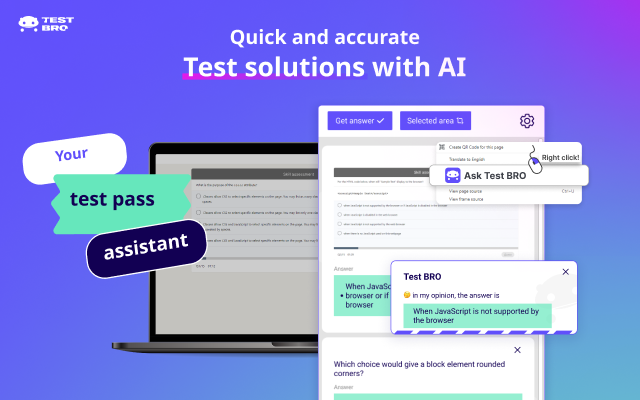
Test Bro
AI assistant that helps you with online tests and exams.
T-Swindler
Extra tools for Tinder in the browser.